
Gaming VPN : Gaming Expert VPN
Gaming VPN : Gaming Expert VPN App Introduction
Gaming VPN : Gaming Expert VPN is built for one thing only: making your online games feel smoother and more stable. Instead of a bloated all-in-one VPN, it focuses on giving mobile gamers better routes to game servers so matches feel more responsive.
If you play competitive shooters, MOBAs, or battle royale games on Android, you already know how painful high ping and random lag spikes can be. This app aims to cut down on those issues by connecting you through optimized servers and more stable network paths, so your taps and swipes register faster in-game.
Gaming VPN : Gaming Expert VPN App Features
1. Low Ping Routing: The app looks for faster routes to popular game servers so your ping stays as low and steady as possible during matches.
2. Game-Focused Servers: Instead of generic VPN locations, it offers servers tuned for gaming traffic to help keep rubber-banding and packet loss under control.
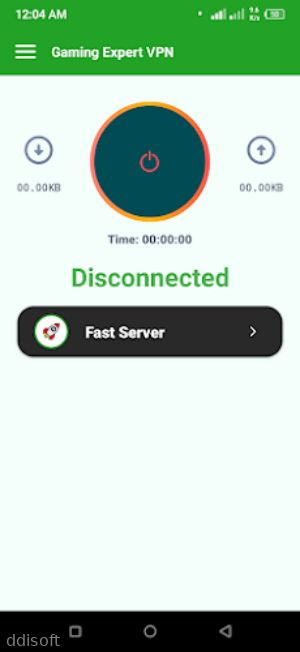
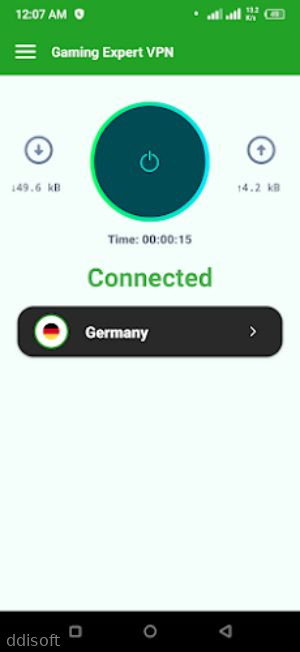
3. Simple One-Tap Connect: You do not have to be a network expert; just tap connect, pick a region, and jump straight into your favorite game.
4. Multi-Game Support: Whether you play shooters, racing games, or strategy titles, the VPN is designed to work with a wide range of online games on Android.
5. Background-Friendly: Once connected, it runs quietly in the background so you can swap between games and apps without constantly reconnecting.
Gaming VPN : Gaming Expert VPN App Highlights
🚀 Lag Stabilizer - Helps reduce random spikes so your gameplay feels smoother, especially during intense team fights and close-range duels.
⚙️ Lightweight App - Designed to be small and efficient so it does not hog RAM or slow down your phone while you are gaming.
🏆 Better Ranked Matches - By keeping your connection more consistent, it can make ranked sessions less frustrating and more about actual skill.
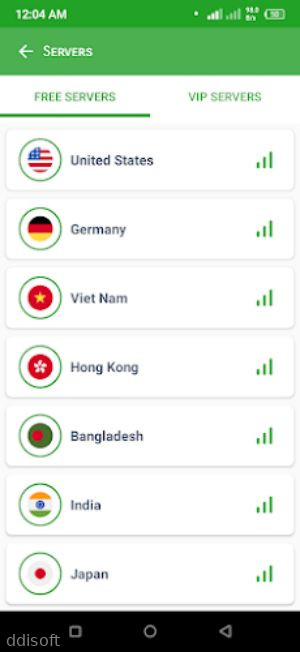
💡 Easy Region Switching - Lets you try different regions to find lobbies with better ping or less crowded servers when your usual one feels overloaded.
🔒 Extra Privacy Layer - Adds an extra shield for your data while you are playing on public Wi‑Fi or shared networks.
Gaming VPN : Gaming Expert VPN App Gameplay (or App Usage)
Open the app and connect to a recommended server before launching your online game so the VPN can handle all your traffic from the start of the match.
Pick a region that is either closest to you or closest to the game server region you usually play on to balance ping and stability.
Test a few different servers during off-peak hours to see which one consistently gives you the lowest ping and fewest lag spikes.
Keep the VPN running in the background while you switch between games, but disconnect when you are just browsing or streaming if you want to save battery.
Monitor how your ping and gameplay feel over multiple matches, then stick with the server that gives you the most reliable results, not just the lowest number on paper.
Gaming VPN : Gaming Expert VPN App Conclusion
Gaming VPN : Gaming Expert VPN is aimed at Android players who are tired of losing fights because of lag instead of skill. It streamlines the whole VPN process so you can focus on playing, not tweaking endless settings.
If your usual mobile games feel choppy, your shots register late, or your character keeps rubber-banding, this kind of gaming-focused VPN can be worth trying. It will not magically fix every network problem, but when it lines up well with your ISP and game servers, matches can feel noticeably smoother and less frustrating overall.
FAQs
Does Gaming VPN : Gaming Expert VPN work with all online games on Android?
It supports most popular online games that use standard mobile network connections. Results can vary by game and server, so it is worth testing with your favorites.
Can Gaming VPN : Gaming Expert VPN completely remove lag?
No VPN can fix every issue, especially if your base connection is unstable, but it can help by finding better routes and reducing random spikes in many cases.
Is Gaming VPN : Gaming Expert VPN hard to set up for beginners?
Setup is straightforward. You install the app, grant VPN permission, choose a server or region, tap connect, and then start your game as usual.
App Information
You May Also Like

The Milfsgiving Feast

Desert Waifu (18+)

Lil Pai Live Theater Album 001-010 ~Compilation~

How to Discipline a Shoplifting Girl

Play with Sara-chan! Lovey-Dovey Sex with a Classmate

Perverts Paradise

Desire by Lovehoney

KAGUYA PLAYERe+VeAndoid

FutaParadise

SocialTech VPN
Comments
No comments yet. Be the first to share your thoughts!
