Windows Clicker

Windows Clicker Game Introduction
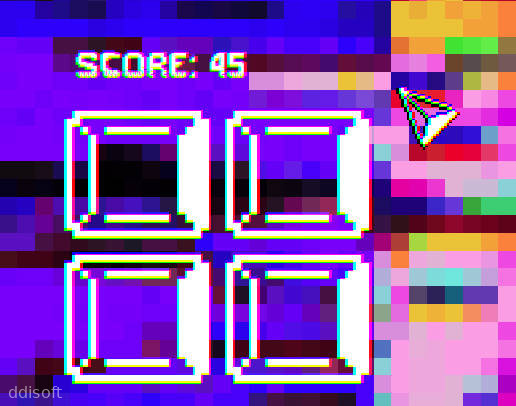
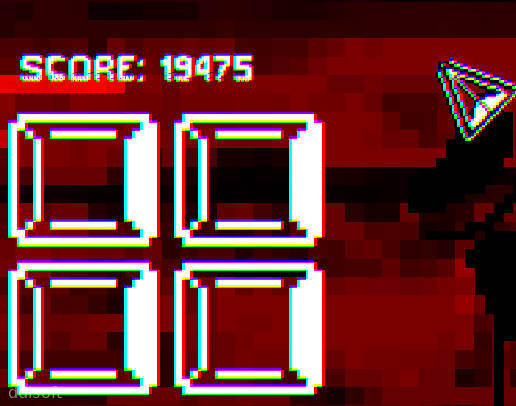
Windows Clicker is one of those little Android games you open for a quick break and then suddenly realize you have been tapping away for half an hour. It plays like a classic clicker or idle game, but with a fun twist that feels a bit like poking around an old-school desktop window setup.
You tap, you rack up points, and you unlock upgrades that help your score climb faster without needing to babysit the screen all the time. It is light, casual, and perfect for players who enjoy steady progress without complicated controls or long tutorials.
Because Windows Clicker is focused on simple mechanics, it runs well on most Android phones and does not demand constant attention. You can open it during a commute, a coffee break, or right before bed and still feel like you are making progress.
Windows Clicker Game Features
1. Simple Tap Controls: Just tap the main window to earn points, no complex gestures or tricky timing needed.
2. Idle Progression: Keep earning even when you are not actively tapping, thanks to upgrades that work in the background.
3. Upgrade System: Spend your points on boosts that increase your tap value, auto-click rate, or overall income speed.
4. Lightweight Performance: The game is small in size and runs smoothly on most Android devices without draining your battery too fast.
5. Quick Sessions: Designed for short bursts of play, you can hop in, tap a bit, upgrade, and hop out again.
6. Satisfying Feedback: Each tap and upgrade feels rewarding, with clear numbers and responsive visuals that make progress easy to track.
Windows Clicker Game Highlights
⚙️ Retro Desktop Vibes - The layout and windows give a playful nod to classic computer screens, which makes the whole experience oddly nostalgic.
💡 Easy To Learn - You understand what to do in seconds, so there is no need to sit through long explanations or complicated menus.
💰 Steady Rewards - Upgrades and higher scores come at a comfortable pace, keeping you hooked without feeling too grindy.
⭐ Low Commitment Fun - Great for players who want something relaxing to tap on while listening to music or watching a show.
🔔 Casual Notifications - Optional reminders can nudge you back when your resources are ready to collect, without being too pushy.
Windows Clicker Game Gameplay
Start by tapping the main window to earn your first points, getting a feel for how quickly your score rises with basic clicks.
Check the upgrade section regularly and invest your early points into boosts that increase how much each tap is worth or how fast your idle income grows.
Let the game run in the background at times so your idle earnings stack up, then return later to spend a big chunk of points on more powerful upgrades.
Experiment with different upgrade paths, focusing either on manual tapping power or on automation if you prefer a more relaxed, hands-off style.
Keep an eye on new unlocks as your total score climbs, since fresh options and boosts typically appear after you reach certain milestones.
Use short daily sessions to build momentum, turning a few spare minutes here and there into noticeable long-term progress.
Windows Clicker Game Conclusion
Windows Clicker is a straightforward Android clicker game that leans into simple tapping, steady upgrades, and a light desktop-style theme. It is not trying to be a huge, complex project; instead, it aims to give you a calm little progress loop you can enjoy in short bursts.
If you like idle games, number climbing, and the satisfaction of watching your taps slowly turn into big scores, Windows Clicker fits nicely on your phone as a low-pressure time killer. It is easy to pick up, easy to pause, and easy to come back to whenever you feel like watching the numbers go up again.
FAQs
What kind of game is Windows Clicker?
Windows Clicker is a casual Android clicker and idle game where you tap on a main window to earn points, buy upgrades, and slowly boost your income over time.
Does Windows Clicker require an internet connection?
In most cases you can play Windows Clicker offline, since the core gameplay is based on local tapping and upgrades rather than online features.
Is Windows Clicker hard to learn for new players?
Not at all. You simply tap to earn points, then spend those points on upgrades. The interface is straightforward, so new players can get started within seconds.
App Information









Comments
No comments yet. Be the first to share your thoughts!
