
Pc simulator 2D
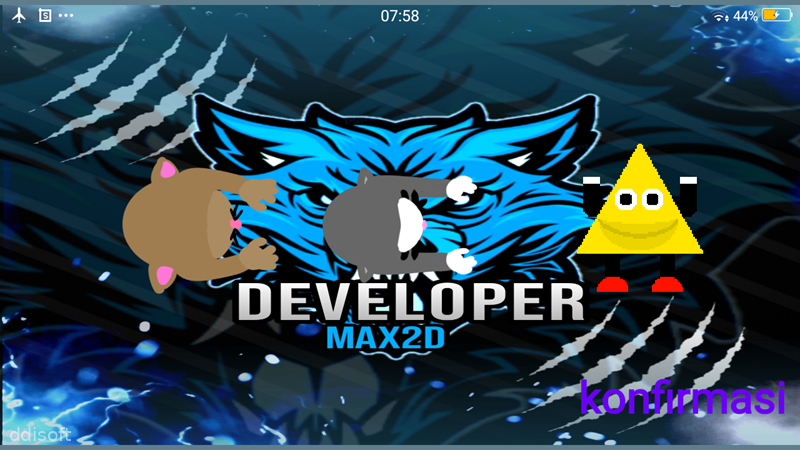
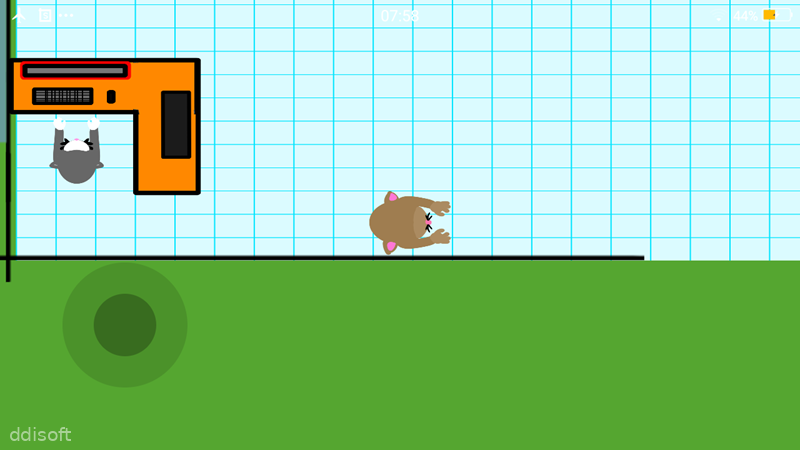
Pc simulator 2D Game Introduction
Pc simulator 2D is a laid-back tech-themed game where you play around with a virtual computer setup in simple 2D style. Instead of stressing over real hardware prices or compatibility, you can casually test ideas, swap parts, and see how everything fits together on your phone.
It is made for players who enjoy the idea of building a PC but want a light, low-pressure way to learn the basics. You get the feel of choosing components and arranging them without needing any real-life tools or money.
Pc simulator 2D Game Features
1. Component Selection: Pick different virtual PC parts and see how they work together in a straightforward 2D layout.
2. Easy Interface: Navigate menus and options with simple taps, so you can focus on experimenting instead of fighting the controls.
3. Relaxed Pace: Play at your own speed with no timers or harsh penalties, which makes it perfect for quick sessions or slow, thoughtful tinkering.
4. Lightweight Graphics: Enjoy clean 2D visuals that run smoothly even on older Android devices.
5. Learning-Friendly: Get a basic idea of how a PC is structured and what goes where, useful if you are curious about hardware but still new to it.
Pc simulator 2D Game Highlights
Simple visuals -> The 2D art style keeps everything clear and readable, so you can instantly recognize the parts you are working with.
Low system demand -> Because it is not heavy on graphics, the game is friendly to budget phones and does not hog storage or battery too much.
Tap-based control -> Every action, from selecting components to confirming changes, works through clean tap gestures that feel natural on mobile.
Short play bursts -> You can open the game, tweak a setup for a few minutes, then close it without losing track of what you were doing.
Tech-flavored vibe -> The whole experience leans into the feeling of being around PC hardware, which is fun if you like gadgets and builds.
Pc simulator 2D Game Gameplay
Start by opening the main menu and checking what kind of virtual PC layout you want to work on.
Browse through the available parts, then tap to swap, add, or adjust them until the setup looks the way you like.
Pay attention to how the layout changes visually when you change components, so you slowly build a sense of how a PC is organized.
Experiment with different combinations just for fun, treating each attempt like a small tech puzzle you are solving for yourself.
Return whenever you have a spare moment and keep refining your virtual build, using the game more like a casual sandbox than a strict simulator.
Pc simulator 2D Game Conclusion
Pc simulator 2D is a small, focused simulation game for Android players who enjoy the idea of PC building without needing full realism or complex 3D graphics. Its 2D style, gentle pacing, and straightforward controls make it easy to pick up and mess around with whenever you feel like a quick tech-themed break.
If you are curious about how a computer fits together or you simply want a light simulation to relax with, Pc simulator 2D offers a simple, no-pressure way to scratch that itch on your phone.
FAQs
What kind of game is Pc simulator 2D?
Pc simulator 2D is a casual simulation game where you work with a simplified 2D representation of a PC, choosing and arranging virtual components.
Does Pc simulator 2D require a powerful phone?
No, the game uses basic 2D graphics and is designed to run on most Android devices without needing high-end hardware.
Is Pc simulator 2D good for learning about PC parts?
It gives a light introduction to how a PC layout looks and how parts fit together, so it is helpful for basic familiarity but not a full technical guide.
App Information
You May Also Like

Life on Mars

Dream City

What?! My Big Sis is Lewd Steaming fom the Office

Lovely Sex with Tsundere Girl

Janitor of Love

All's Fair in Au Pair

A Simulation That Lets You Do Whatever You Want To A Domineering Young Lady

Fattening Up The Young Girls With Milk And Coffee

Pride and Submission: 18+ (NSFW) BL/ Yaoi/ Gay Slave Sim/ Visual Novel

Hell SexBurger
Comments
No comments yet. Be the first to share your thoughts!
